Orchestrate seamless business systems integrations using Amazon Bedrock Agents
Generative AI has revolutionized technology through generating content and solving complex problems. To fully take advantage of this potential, seamless integration with existing business systems and efficient access to data are crucial. Amazon Bedrock Agents provides the integration capabilities to connect generative AI models with the wealth of information and workflows already in place within an organization, enabling the creation of efficient and impactful generative AI applications.
Amazon Bedrock is a fully managed service that enables the development and deployment of generative AI applications using high-performance foundation models (FMs) from leading AI companies through a single API. Amazon Bedrock Agents allows you to streamline workflows and automate repetitive tasks across your company systems and data sources, while maintaining security, privacy, and responsible AI practices. Using these agents, you can enable generative AI applications to execute multiple tasks across your company systems and data sources. Businesses can now unlock the power of generative AI to automate tasks, generate content, and solve complex problems—all while maintaining connectivity to critical enterprise systems and data sources.
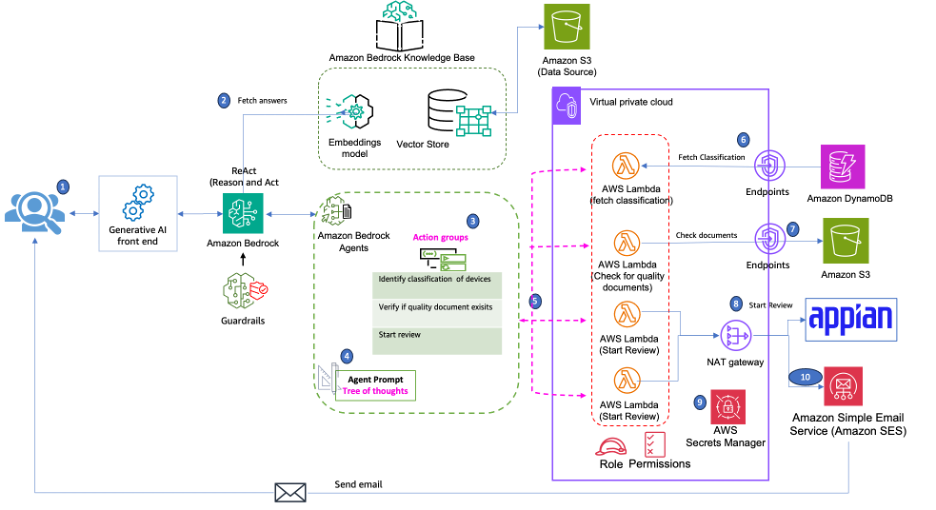
The post showcases how generative AI can be used to logic, reason, and orchestrate integrations using a fictitious business process. It demonstrates strategies and techniques for orchestrating Amazon Bedrock agents and action groups to seamlessly integrate generative AI with existing business systems, enabling efficient data access and unlocking the full potential of generative AI.
This solution also integrates with Appian Case Management Studio. Cases are a vital part of case management applications and represent a series of tasks to complete or a multi-step problem to solve. Appian Case Management Studio is an out-of-the box suite of applications that facilitates rapid development of case management apps. The fictitious business process used in this post creates a case in Appian for further review.
You will need the following prerequisites before you can build the solution:
A valid AWS account.
Access to Anthropic’s Claude 3 Sonnet or the model you intend to use (for more information, see Access Amazon Bedrock foundation models). For this post, we use Anthropic’s Claude 3 Sonnet, and all instructions are pertaining to that model. If you want to use another FM, update the prompts accordingly.
An IAM role in the account that has sufficient permissions to create the necessary resources.
Two email addresses to send and receive emails. Do not use existing verified identities in Amazon SES for these email addresses. The AWS CloudFormation template will fail otherwise.
This solution is supported only in the us-east-1 AWS Region. You can make the necessary changes to the CloudFormation template to deploy to other Regions.
The Appian Community Edition provides a personal environment for learning and exploration at no additional cost. To sign up for Apian Community Edition, complete the following steps:
Enter your email address and choose Submit to receive confirmation and login details.
Check your inbox for a verification email from Appian.
Choose the link in the email to validate your email address and finish setting up your account by providing your first name, last name, email, and password, then accept the terms.
Choose Register to complete the registration.
Choose the activation link and log in with your email address and password.
Complete your profile by entering information about your company, phone number, and learning interests, among other details.
Choose Access Environment.
Choose your region (USA, India, or Germany) by choosing the appropriate link.
Navigate to Appian Designer and start exploring Appian’s features and capabilities.
Fill out the contract form by providing your duration, renewal settings, and contract options.
Choose Create Contract. to submit your request.
An Appian representative will contact you to discuss your needs. They might provide access to a trial environment or schedule a personalized demo.
Follow the instructions provided by the Appian representative to access your account.
By following these steps, you can create an Appian account suited to your personal learning or business evaluation needs. Whether you’re exploring Appian’s platform individually or assessing it for your organization, Appian provides resources and support to help you get started.
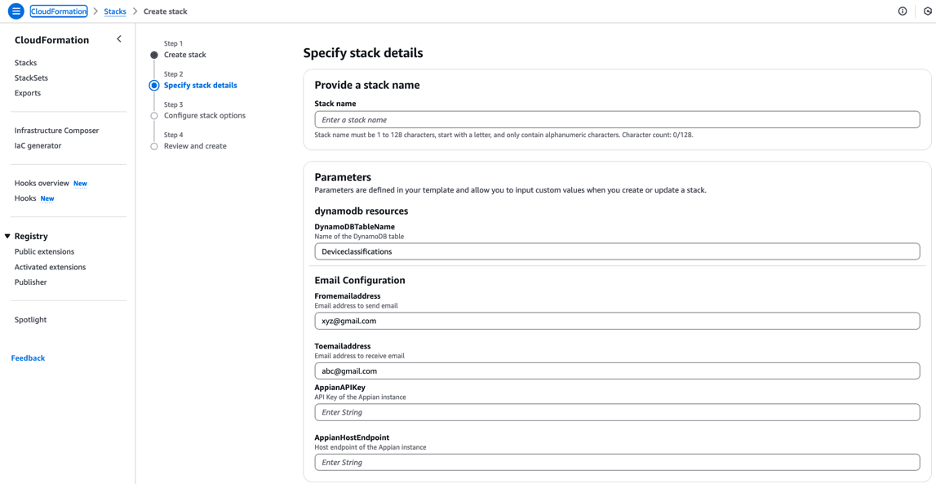
Note the following values, which we will use in the CloudFormation template below.
Before we configure the agents, we will define a prompt. Prompts are the key to unlocking the full potential of Amazon Bedrock agents. Prompts are the textual inputs that guide the agent’s behavior and responses. Crafting well-designed prompts is essential for making sure that the agent understands the context, intent, and desired output.
When creating prompts, consider the following best practices:
Provide clear and concise instructions
Include relevant background information and context
Follow the model best practices to format the prompt
Amazon Bedrock Agents supports advanced prompting techniques, Chain of thought (CoT) and Tree-of-thought (ToT) prompting. CoT prompting is a technique that enhances the reasoning capabilities of FMs by breaking down complex questions or tasks into smaller, more manageable steps. ToT prompting is a technique used to improve FM reasoning capabilities by breaking down larger problem statements into a treelike format, where each problem is divided into smaller subproblems. We use Tree-of-thought (ToT) prompting and start by breaking down the business process into logical steps and then incorporate model formatting.
The following is the prompt developed for Anthropic’s Claude 3 Sonnet:
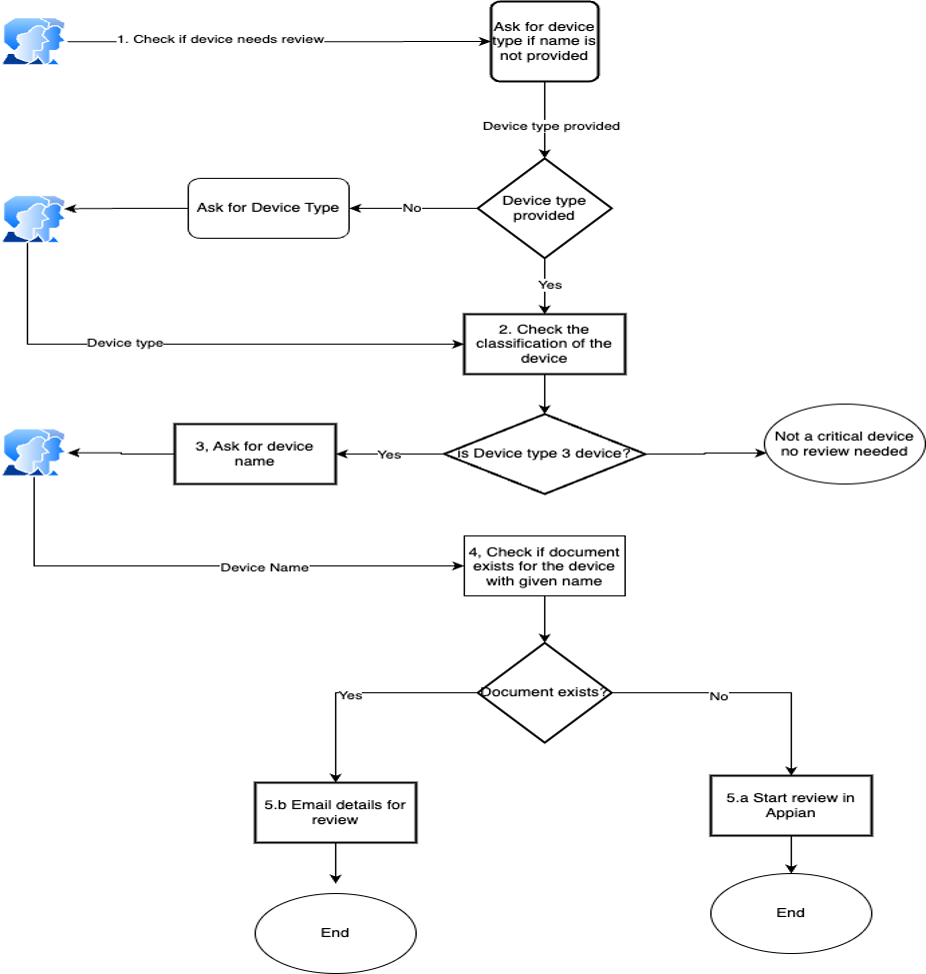
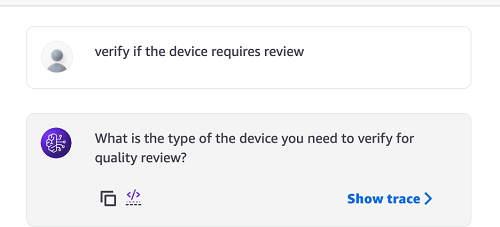
You are an agent that helps determine if device requires a quality review and you always use actions groups to answer. To verify if a review is needed, follow these steps:

1. Ask the user to provide the device type. If not provided, prompt for it.
2. Fetch the device classification from the database based on the provided device type using deviceClassification action group
3. If the classification returned from action group is Class III or 3
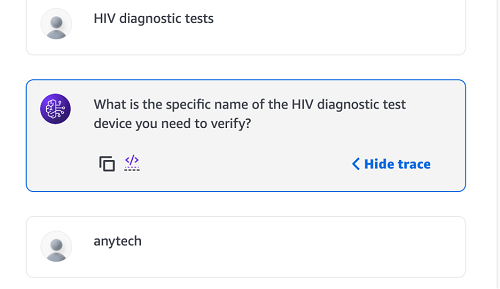
4. Ask the user for the specific device name.
5. Check if the device name has quality review forms using the verifyifformsExists action group
6. If a quality review document exists:
7. Prepare an email with the relevant content.
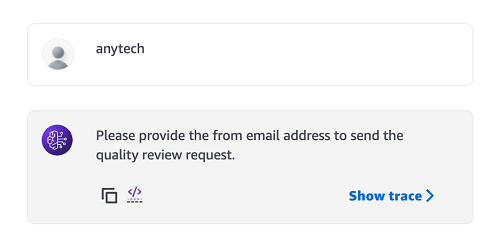
8. Ask for to email address and from email address
9. Send the email to the user.
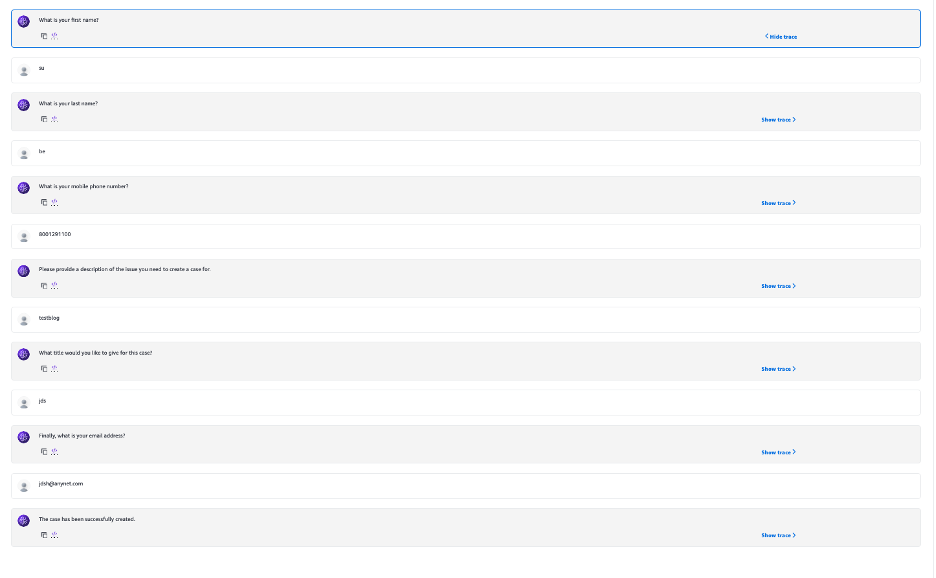
10. If no quality review document exists, create a case.
The first step in configuring Amazon Bedrock Agents is to define their capabilities. Amazon Bedrock agents can be trained to perform a wide range of tasks, from natural language processing and generation to task completion and decision-making. When defining an agent’s capabilities, consider the specific use case and the desired outcomes.
To create an agent, complete the following steps:
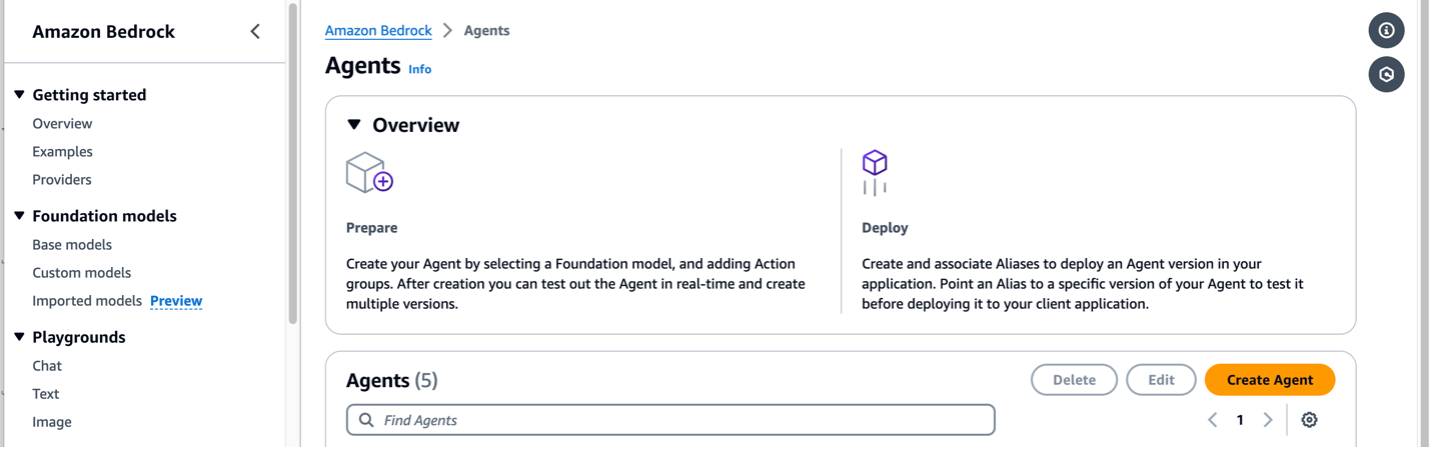
On the Amazon Bedrock console, choose Agents in the navigation pane.
Choose Create Agent.
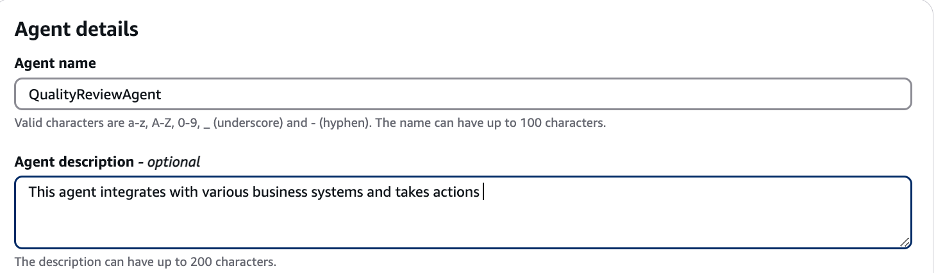
In the Agent details section, enter a name for the agent and an optional description.
Choose Create.
In the agent builder, choose Create and use a new service role for the agent resource role.
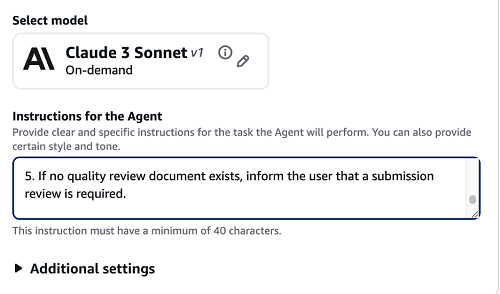
Choose Anthropic’s Claude 3 Sonnet as the model.
In the Instructions for the Agent section, provide the prompt crafted earlier.
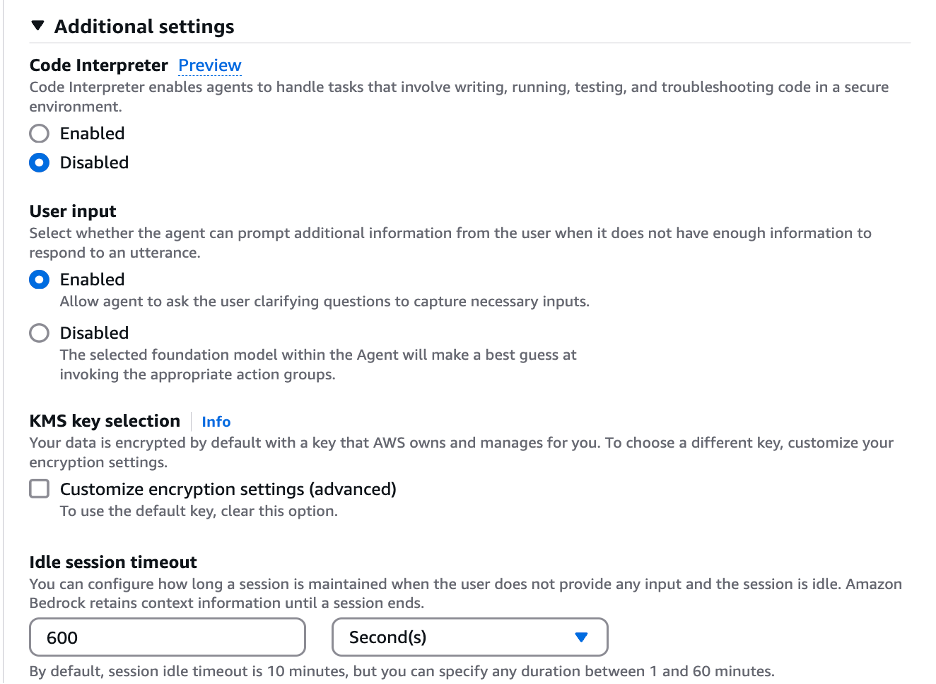
In the Additional settings section, for User input, select Enabled.
Complete the following steps to create the action groups for the newly created agent:
On the Amazon Bedrock console, choose Agents in the navigation pane.
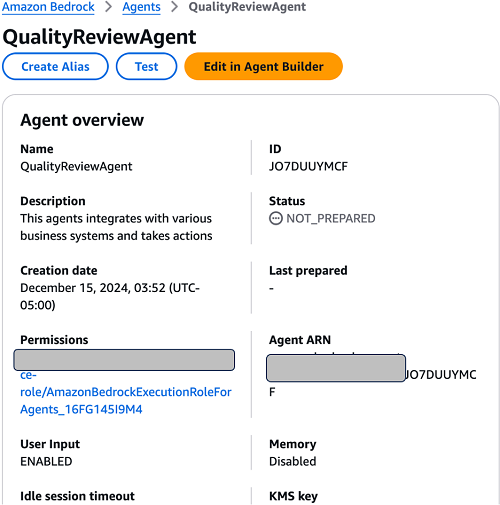
Choose the newly created agent and choose Edit in Agent Builder.
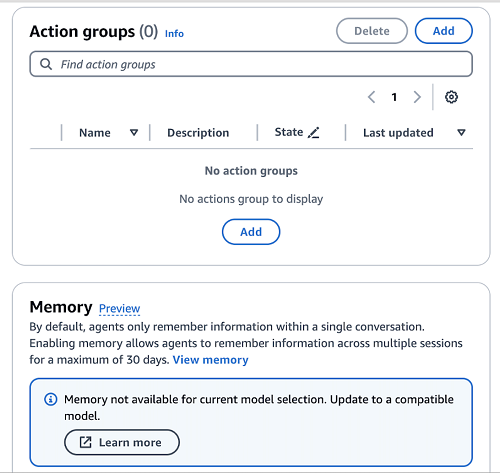
In the Action groups section, choose Add.
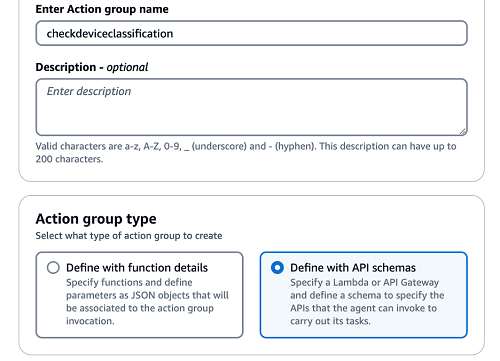
In the Action group details section, change the automatically generated name to checkdeviceclassification and provide an optional description for your action group.
In the Action group type section, select Define with API schemas to use the OpenAPI schema.
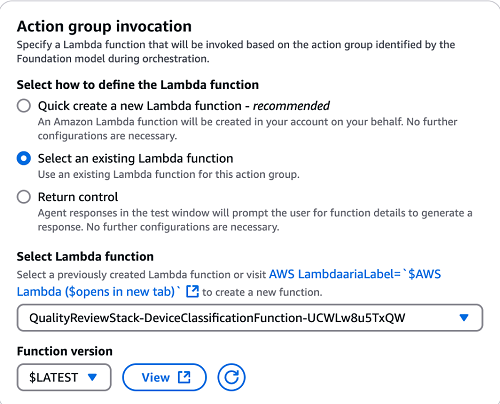
In the Action group invocation section, select Select an existing Lambda function to use an existing Lambda function.
On the drop-down menu, choose the Lambda function with the name containing DeviceClassification.
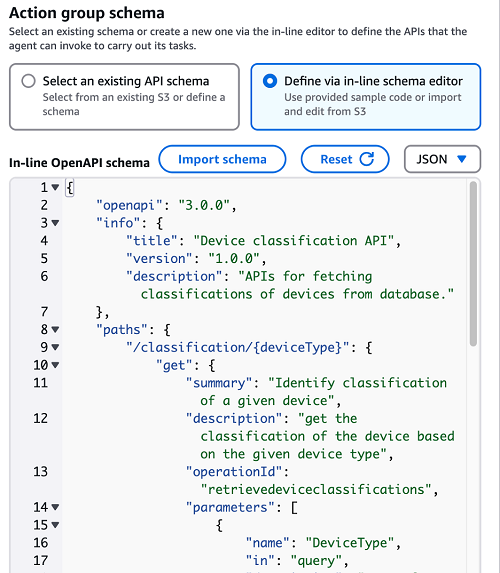
In the Action group schema section, select Define via in-line schema editor to define the schema.
Choose JSON on the drop-down menu next to
Open the device classification file downloaded earlier and copy the content of the schema file.
Enter the content in the schema editor.
Choose Create to create an action group.
Repeat the preceding steps to create additional action groups. Use the following table to map the action groups to the respective Lambda functions and Open API schemas.
Action Group Name
Lambda Functin Name Containing
Open API Schema
checkdeviceclassification
DeviceClassification
deviceclassification.json
verifyqualitydocuments
VerifyQualityDocuments
verifyQualityDocuments.json
emailreviewers
EmailReviewers
emailReviewers.json
appiancase
Appian
appian-case.json
To customize the agent’s behavior to your specific use case, you can modify the prompt templates for the preprocessing, orchestration, knowledge base response generation, and postprocessing steps. For more information, see Enhance agent’s accuracy using advanced prompt templates in Amazon Bedrock.
You can create an Amazon Bedrock knowledge base to retrieve information from your proprietary data and generate responses to answer natural language questions. As part of creating a knowledge base, you configure a data source and a vector store of your choice.
The prompt crafted earlier provides instructions that are not dependent on a knowledge base. To use a knowledge base, modify the prompt accordingly.
Integrating generative AI with existing systems is crucial to unlocking its transformative potential. By using tools like Amazon Bedrock Agents, organizations can seamlessly connect generative AI to core data and workflows, enabling automation, content generation, and problem-solving while maintaining connectivity. The strategies and techniques showcased in this post demonstrate how generative AI can be orchestrated to drive maximum value across a wide range of use cases, from extracting intelligence from regulatory submissions to providing prescriptive guidance to industry. As generative AI continues to evolve, the ability to integrate it with existing infrastructure will be paramount to realizing its true business impact.
To get started with integrating generative AI into your business, explore How Amazon Bedrock Agents works and discover how you can unlock the transformative potential of this technology across your organization.
Stay up to date with the latest advancements in generative AI and start building on AWS. If you’re seeking assistance on how to begin, check out the Generative AI Innovation Center.
Sujatha Dantuluri is a seasoned Senior Solutions Architect in the US federal civilian team at AWS, with over two decades of experience supporting commercial and federal government clients. Her expertise lies in architecting mission-critical solutions and working closely with customers to ensure their success. Sujatha is an accomplished public speaker, frequently sharing her insights and knowledge at industry events and conferences.
Arianna Burgman is a Solutions Architect at AWS based in NYC, supporting state and local government agencies. She is a data and AI enthusiast with experience collaborating with organizations to architect technical solutions that further their missions for continuous innovation and positive, lasting impact.
Annie Cimack is an Associate Solutions Architect based in Arlington, VA, supporting public sector customers across the federal government as well as higher education. Her area of focus is data analytics, and she works closely with customers of all sizes to support projects ranging from storage to intelligent document processing.
Sunil Bemarkar is a Sr. Partner Solutions Architect at AWS based out of San Francisco with over 20 years of experience in the information technology field. He works with various independent software vendors and AWS partners specialized in cloud management tools and DevOps segments to develop joint solutions and accelerate cloud adoption on AWS.
Whether abundant, endangered or extinct, animal species are the focus of countless AI-powered conservation projects. These initiatives — accelerated using NVIDI
AWS Panorama is a collection of machine learning (ML) devices and a software development kit (SDK) that brings computer vision to on-premises internet protocol
Posted by Junfeng He, Senior Research Scientist, and Kai Kohlhoff, Staff Research Scientist, Google Research People have the remarkable ability to take in a tre
Organizations are often inundated with video and audio content that contains valuable insights. However, extracting those insights efficiently and with high acc
This post was written in collaboration with Ankur Goyal and Karthikeyan Chokappa from PwC Australia’s Cloud & Digital business. Artificial intelligence (AI)
IBM at the B7 We are living in a watershed moment for AI: the European Parliament has just voted on the EU AI Act, which will regulate and govern the use and im